

Your website is made up of hundreds of files that work together. When one of those files changes without your knowledge, it can put your site at risk. Hackers can inject malicious code, create backdoors, or steal sensitive data.
Even a small mistake, like a developer leaving a test file on the server, can open the door to serious problems.
File integrity monitoring is a tool designed to stop these issues before they cause damage. It watches your website files and alerts you when something looks suspicious.
In this guide, we’ll explain how file integrity monitoring works, why it’s important for all websites, and which tools you can use to keep your website safe.
Table of Contents
What is File Integrity Monitoring?
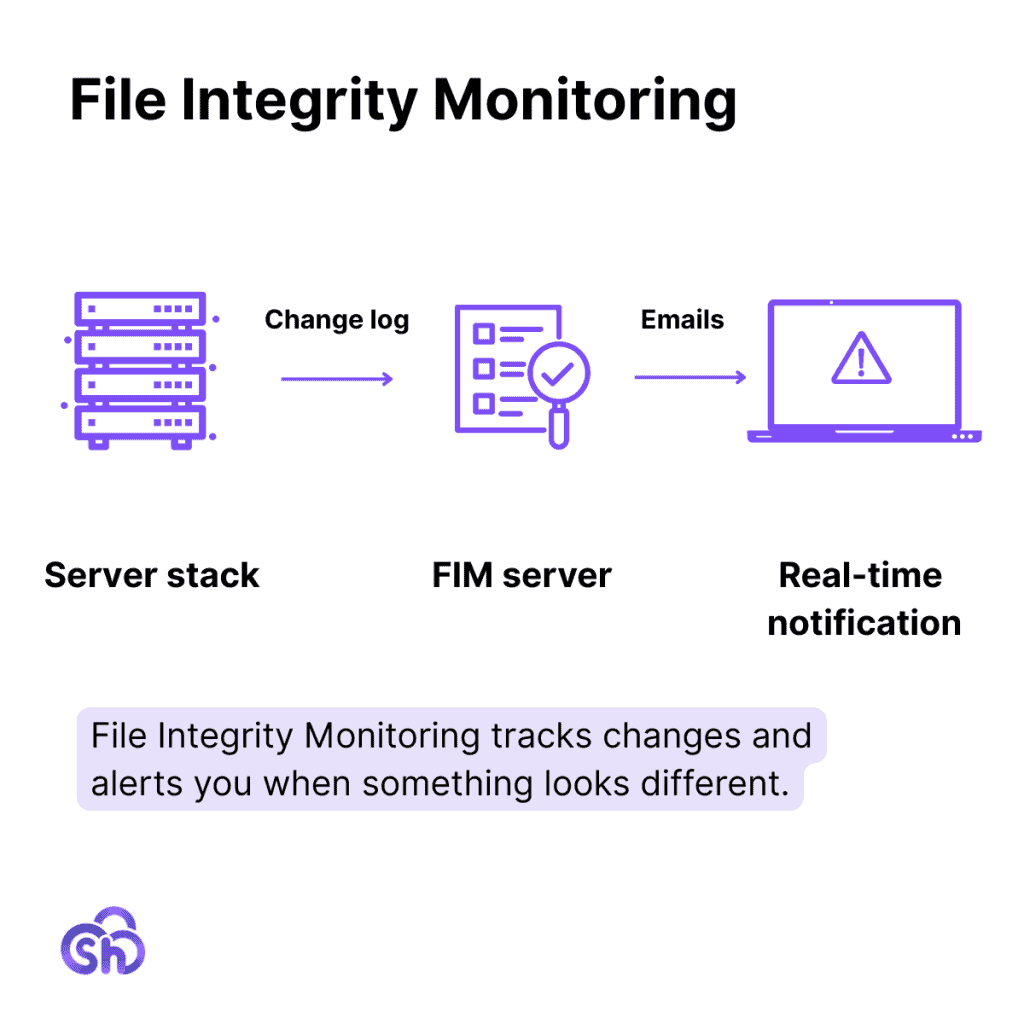
File Integrity Monitoring, or FIM, is a tool that keeps an eye on your website’s files. It tracks changes and alerts you when something looks different. The goal is to help you spot unwanted changes before they cause problems.
Your website is made up of files. These include your core site files, themes, plugins, and content. Hackers often try to change or add files to gain access or spread malware. Hackers can be sophisticated, so even small, unnoticed edits can put your site at risk.
How Does File Integrity Monitoring Work?
FIM is basically an early warning system for your site. You don’t have to dig through files to find issues. The tool does the hard work and tells you when action is needed. It works in a few simple steps.
- Baseline creation – FIM performs an initial scan of your site. It records key file attributes such as size, path, permissions, modification timestamps, and unique cryptographic hash values. This snapshot becomes the trusted baseline for all future comparisons.
- Continuous monitoring – The system runs periodic scans or real-time hooks to check for alterations. Each file is rehashed and compared to the baseline. Even a single character change results in a different hash, which triggers detection. This process also identifies unexpected file additions or deletions.
- Alert generation – When discrepancies are found, the tool sends alerts with details about what changed, when it changed, and which user or process triggered it (if logs are available). Many solutions can also detect shifts in file ownership or permissions.
- Your response – With this data, you can quickly determine whether the change was authorized (e.g., a plugin update) or malicious (e.g., injected code or backdoor access).
Central Repository Monitoring vs. Self-Generated Data Monitoring
File integrity monitoring tools use two main approaches to detect changes in your website: comparing them to a central repository or comparing them to self-generated data.
Central Repository
The central repository method compares your local files to a set of “known good” files stored in a third party location. This is common for WordPress core files and popular plugins.
For example, a FIM plugin can compare your WordPress installation to the official version from WordPress.org. If there’s a mismatch, it flags it as a change.
This is useful for spotting tampering in standard files, but it doesn’t work well for custom code or lesser-known plugins. Any custom edits you make may trigger false-positives since they won’t match the vendor’s reference files.
Self-Generated Data
The self-generated data method avoids these issues by building a baseline directly from your site’s current files. When the tool is installed, it takes fingerprints (hashes) of every file. Later, it scans again and compares new fingerprints against the original.
If you make a change, you can approve it and update the baseline. This method is better for detecting true threats without lots of false alerts. Most FIM solutions use self-generated data because it gives more accuracy, especially on websites with custom themes, plugins, or code.
Server-Level Monitoring vs. Application-Leveling Monitoring
Your file integrity monitoring can happen at the server level (your web host) or the application level (your website itself).
Server-level FIM tools run directly on your hosting server. They watch all the files stored there, not just the ones on your website. This means they can track deeper changes that might affect your entire hosting account. Popular options are Qualys, Tripwire, and Trustwave.
Many hosting providers include basic file monitoring as part of their security features. These tools often run in the background. They scan files automatically and send alerts when they detect suspicious activity.
Application-level FIM tools run inside your website’s environment, usually through a plugin. They focus only on the files that make up your website, such as your themes, plugins, uploads, and core files.
Why File Integrity Monitoring is Important
File integrity monitoring is a key part of website security. It serves as a proactive and reactive method to protect your site. Here are the main reasons why it matters:
- Early threat detection – FIM spots unauthorized file changes caused by hackers or malware before they can spread or damage your site.
- Protection against data breaches – Malicious edits can expose sensitive data. Monitoring lets you act before attackers access or steal information.
- Faster troubleshooting – When an error breaks your site, you can pinpoint the cause quickly.
- Compliance support – Some compliance rules (like PCI DSS) require you to monitor file changes if you handle sensitive data.
- Detection of insider threats – Not all risks come from outside. FIM alerts you to suspicious changes made by users with access to your system.
- Restoration to a safe state – Detailed logs help you roll back to a clean version of your site after unauthorized changes.
- Continuous security visibility – FIM keeps a record of all file edits, additions, and deletions so you have a full audit trail.
File Integrity Monitoring in WordPress
FIM is a big part of WordPress security. WordPress runs on two main types of files: non-executable files, like images and media uploads, and executable files, like PHP, JavaScript, and configuration files.
Non-executable files (which are typically stored in your /wp-content/uploads folder) don’t affect site security. In fact, most FIM solutions exclude these files from their scans by default.
But changes to executable files can compromise security. A single unauthorized edit can inject malware, open a backdoor, or break something critical.
Changes to your executable files should only occur when you update WordPress core, install a theme or plugin, uninstall a theme or plugin, or customize the code of WordPress (which we never recommend you do). Any other changes may be signals of a malware injection or some kind of intrusion.
File integrity monitoring gives you a reliable way to detect these changes. It builds a reference database of your clean WordPress core, theme, and plugin files. Every scan compares the current state of your files to that baseline. If anything is added, modified, or deleted, the tool alerts you immediately.
WordPress Plugins for File Integrity Monitoring
If you are a WordPress user, you’ll want a file integrity monitoring solution that’s more specific to your needs. Fortunately, there are several plugin options.
1. Melapress File Monitor
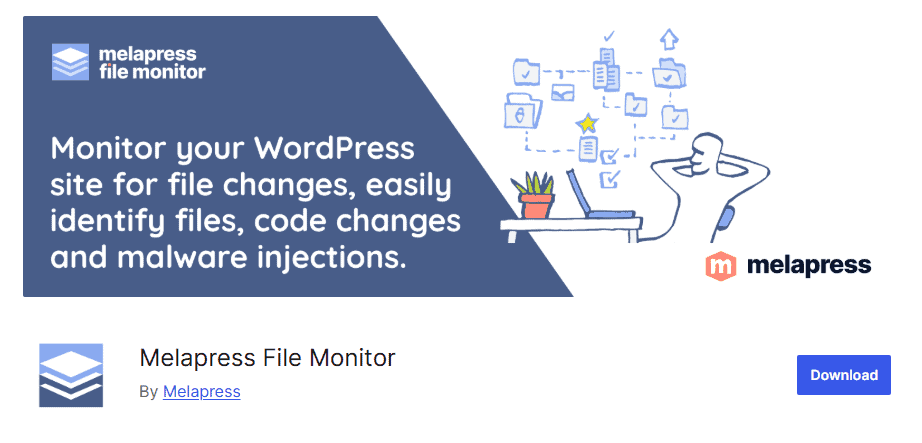
Melapress is a free file integrity monitoring plugin that tracks file and permission changes on your WordPress site. It alerts you whenever it detects a change. You can use it to detect malware and infected files, files altered by bad actors, keep track of the last code changes (for easy troubleshooting), and conduct analysis after an attack.

What’s great about this plugin is that you can see changes directly in the WordPress dashboard. You can also configure the plugin to send change alerts through email.
2. WordPress File Monitor

WordPress File Monitor is another file integrity monitoring plugin. It uses self-generated data for comparisons. You can schedule scans or run a scan manually. You get a notification right at the top of your dashboard if something changes. Clicking View File Changes brings you to a lot of the changes.
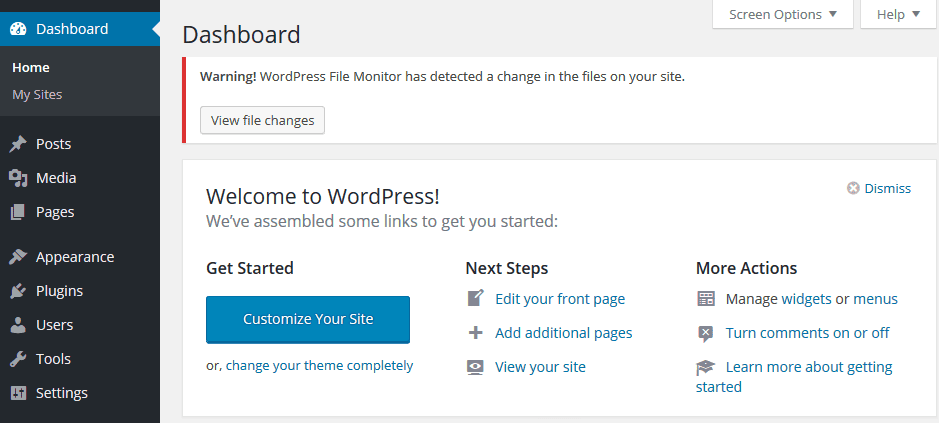
One downside to this WordPress plugin, however, is that the plugin is not aware of WordPress core, theme, and plugin changes. This means it may send false-positive alerts for safe file changes.
3. All-in-One Security Solutions
If you want something more robust, there are several comprehensive WordPress security plugins available that include file integrity monitoring as one of their features.
Wordfence, Solid Security, and Sucuri Security are the top options, but there are many other security plugins available. Beyond file integrity monitoring, they often include these helpful features:
- Malware scanning
- Firewall protection
- Brute force attack protection
- Login attempt limits
- Two-factor authentication
- IP blocking and allowlists
- Security activity logging
- Automatic threat notifications
- Spam protection
- Database security checks
- SSL enforcement
- Vulnerability detection for themes and plugins
- Scheduled security scans
- Website backup integration.
Final Thoughts
Website security is a serious topic, whether we’re talking about hackers and malware or your own mistakes. If you want to preserve your site (and all the work you did to build it), we strongly recommend taking preventative measures to protect your content and data.
Use a web hosting provider like SupportHost that offers a solid firewall, an intrusion detection system, and other security measures. For an extra layer of security, your host should also offer automatic backups so you can always return to a previous version of your site.
Ready to build your WordPress site?
Try our service free for 14 days. No obligation, no credit card required.


